Come abbiamo creato una campagna IA Gentle Monster x Pokémon usando NanoBanana Pro e Kling

E se Gentle Monster lanciasse una collaborazione con Pokémon? In questo breakdown ti mostriamo come un concept di occhiali da sole futuristici e una campagna completa sono stati creati con NanoBanana Pro, Kling 3.0 e Cinema Studio.

Questa è la Parte 2 della nostra serie in cui analizziamo spec ad che puoi davvero ricreare da solo.
Niente teoria, niente workflow vaghi. Solo prompt pronti da copiare e un percorso chiaro dall’idea al risultato finale.

L’obiettivo è semplice:
Prendi il processo esatto, eseguilo nel tuo setup e scopri fino a dove puoi spingerti.

Per questo, ci siamo chiesti:
E se Gentle Monster lanciasse una collaborazione con Pokémon?

Non ti va di leggere? Dai un’occhiata al workflow interattivo alla fine del post.

Iniziamo.
SKIMS ttothpaste base

Step 1 — Definire il DNA del design

Tutto inizia dal gusto.

Prima di aprire qualsiasi tool, abbiamo definito cosa rappresentano entrambi i mondi:

  • Gentle Monster → lusso futuristico, silhouette scultoree, eyewear statement
  • Pokémon (Pikachu) → linguaggio di forme iconico, in particolare la coda a zigzag

L’obiettivo non era semplicemente combinare dei loghi.

Si trattava di tradurre Pikachu in un linguaggio di design di lusso.

Da lì è nata l’idea centrale:

  • Aste ispirate alla coda a forma di fulmine di Pikachu
  • Realizzate in cromo lucidato, non in stile cartoon
SKIMS ttothpaste base

Step 2 — Progettare il prodotto con NanoBanana Pro

Tutto è partito da una singola immagine prodotto generata in NanoBanana Pro.

Invece di fare il prompt di occhiali da sole generici, l’obiettivo era creare qualcosa che sembrasse autenticamente Gentle Monster — audace, scultoreo e premium.

I dettagli chiave includevano:

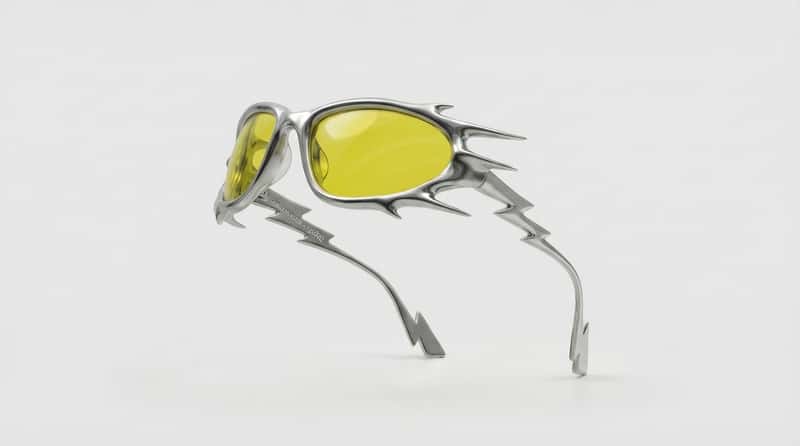
  • Una silhouette avvolgente in metallo liquido
  • Punte organiche affilate e bordi aerodinamici
  • Cromo a specchio con riflessi ray-traced
  • Lenti traslucide giallo elettrico
  • Sottile co-branding micro-inciso sulla parte interna dell’asta

L’immagine era strutturata come un visual di campagna prodotto alta moda — forte contrasto, sfondo pulito e definizione iper-realistica dei materiali.

Questo ha costituito la base dell’intera campagna.

Ecco il prompt pronto da copiare:

Prompt
“Luxury product design of “Gentle Monster x Pokémon” sunglasses. The Front Frame: An avant-garde, wrap-around “liquid metal” silhouette in mirror-polished silver chrome, featuring sharp, organic thorn-like protrusions and aerodynamic spikes. The Temples (Arms): The side arms are ultra-slender and delicate at the hinge, becoming progressively wider towards the ear. The geometry follows a dynamic lightning-bolt scale: the jagged “stair-step” segments start small and thin at the front and increase in size and width as they move backwards. The arm culminates in a broad, oversized, flattened thunderbolt tip at the ear-hook. Branding Detail: On the inner surface of the temple arm, starting precisely next to the hinge screw, the co-branding “Gentle Monster x Pokémon” is micro-engraved. The logos are kept very small and minimalist in scale, etched cleanly into the metal as a colorless, recessed 3D-indentation. A fine, sharp “x” connects the two brand names, maintaining a high-end luxury aesthetic. Material & Optics: High-gloss silver chrome hardware with mirror-like reflections. The lenses are translucent vibrant electric-yellow glass with high-clarity and sharp specular highlights. Lighting & Quality: High-contrast studio lighting to emphasize the fine engraving near the hinge. Sharp ray-traced reflections on the metallic segments, deep shadows in the jagged bends. 8k, industrial luxury render, hyper-realistic textures.”

Step 3 — Creare gli asset della campagna

Una volta definito il prodotto principale, il passo successivo è espanderlo in un sistema di campagna.

Abbiamo creato:

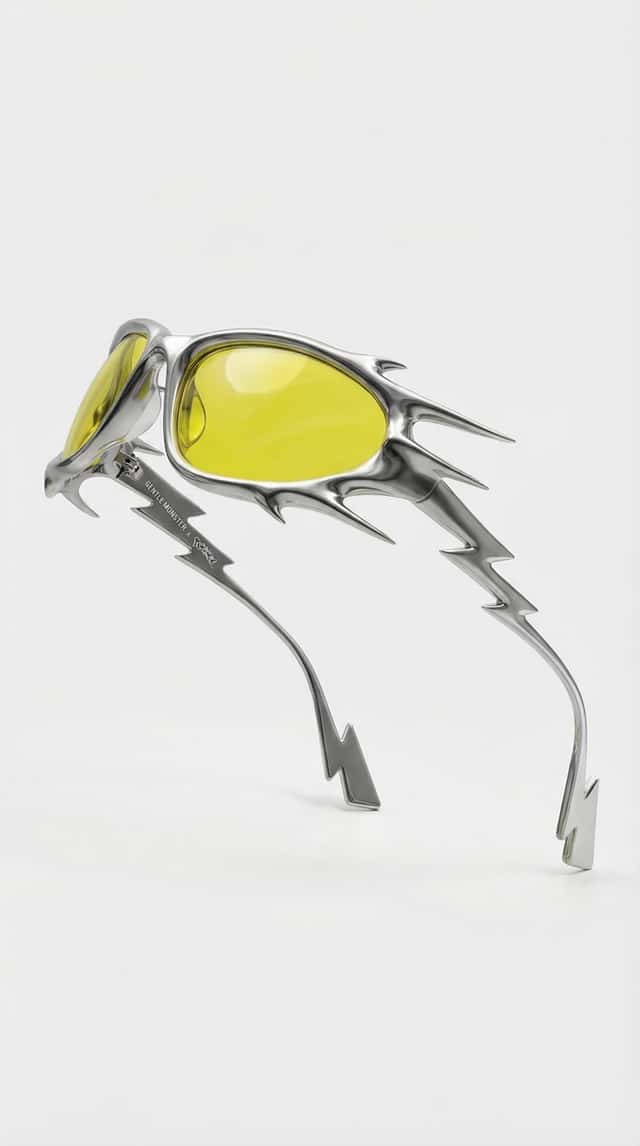
  • Una foto frontale del prodotto
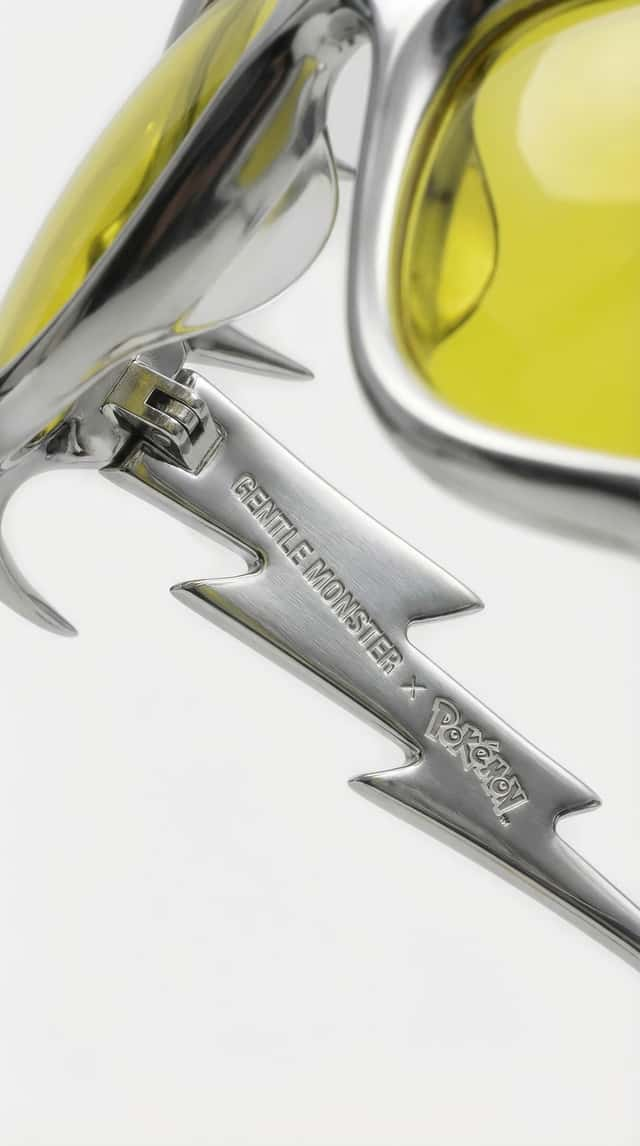
  • Un primo piano macro che mette in risalto il branding inciso

Prompt pronti da copiare:
Prompt
“Create a frontal product image using these sunglasses as the exact reference.““Create a macro close-up perspective of the sunglasses focused on the inner temple arm near the hinge, highlighting the subtle engraved co-branding detail. Use the reference image as the exact base and keep the same background, lighting, reflections, and overall campaign mood. Make sure the co-branding logos GENTLE MONSTER x Pokémon are clearly visible and correctly placed on the inner arm, matching the same logo style, position, and overall application as seen on the original sunglasses reference. The logos should appear as clean, subtle engravings recessed directly into the chrome metal, not printed, not raised, and not colored — just precisely etched into the polished silver surface as a luxury detail.”
SKIMS ttothpaste base

Step 4 — Introdurre il personaggio

Ora passiamo dal prodotto → alla campagna.

Abbiamo introdotto:

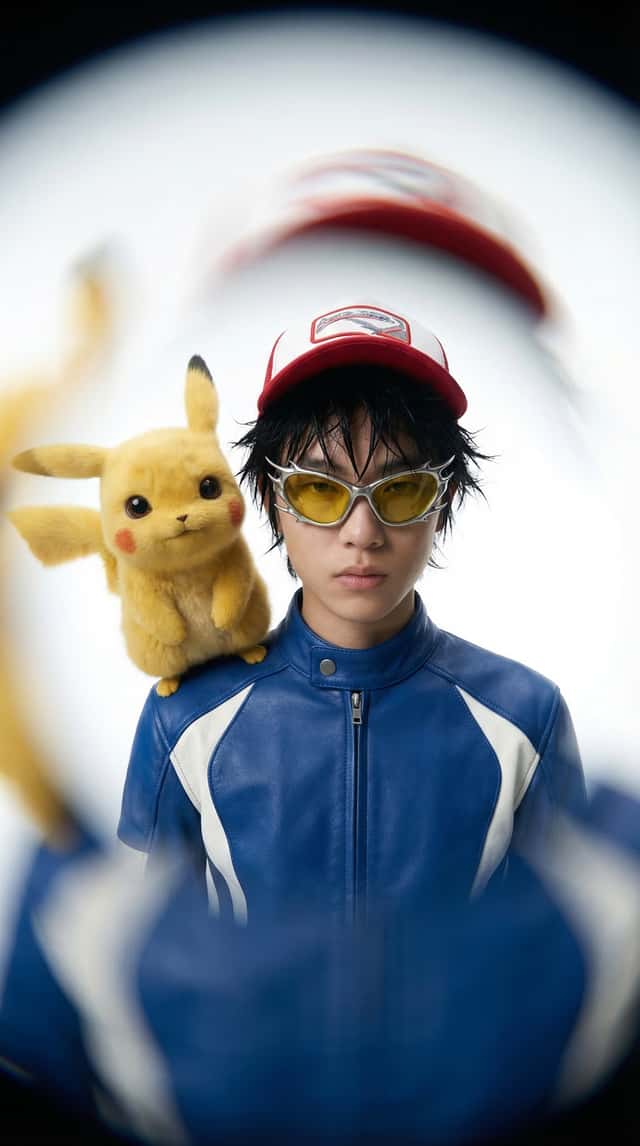
  • Un modello stilizzato con un look editoriale alta moda
  • Pikachu come compagno iper-realistico, non come cartoon

Questo passaggio connette il concept a qualcosa di più grande.

Trasforma l’idea in un mondo, non solo in un prodotto.

Prompt pronto da copiare:

Prompt
“A high-fashion, hyper-realistic editorial campaign shot for Gentle Monster. A real-life 15-year-old boy with messy spiky black hair, styled in a textured ‘wet look.’ He is wearing a premium, high-collared blue leather racing jacket with white technical panels and a luxury red-and-white designer baseball cap. On his shoulder sits a hyper-realistic Pikachu with soft, fine yellow fur and expressive large dark eyes. The boy is in the center of the frame. He is wearing the exact silver futuristic sunglasses from the reference. Stark white studio background, high-key lighting, sharp focus on skin texture and leather grain. 8k resolution, cinematic fashion photography style.”

Step 5 — Portare tutto in movimento

Con tutti i frame pronti, siamo passati all’animazione.

Invece di generare tutto da zero, abbiamo:

  • Creato frame di inizio e fine
  • Usato Cinema Studio + Kling 3.0 per generare le transizioni

Momenti chiave:

  • Rivelazione degli occhiali in levitazione
  • Rotazione fluida a 360°
  • Fulmini ispirati alla coda di Pikachu
  • Zoom cinematografico e crescita dell’energia

La cosa fondamentale: mantenere tutto controllato e premium.
Niente caos, niente over-animazione — solo movimento pulito e intenzionale.

Prompt pronti da copiare:

Prompt
“Create a transition where the chrome spiked sunglasses from the reference image float upward, then perform a rapid, smooth 360-degree horizontal rotation before resolving into the final end frame. At the midpoint of the spin, sharp luminous electric-yellow lightning streaks erupt from all sides of the metallic spikes…““Zoom in quick, no smiling, super hyper-realistic human skin texture with visible pores and fine hairs, neutral serious expression. While zooming in, Pikachu jumps and performs a rapid 360-degree spin with intense yellow electrical bolts and lightning arcs illuminating the scene…”

Step 6 — Risultato finale

Il risultato:

Una campagna di collaborazione di lusso completamente credibile
che non è mai esistita — ma che sembra potrebbe uscire domani.

Workflow interattivo a nodi

Share: Copy Link Email LinkedIn WhatsApp Telegram Twitter / X